 M-Star Post: Overview
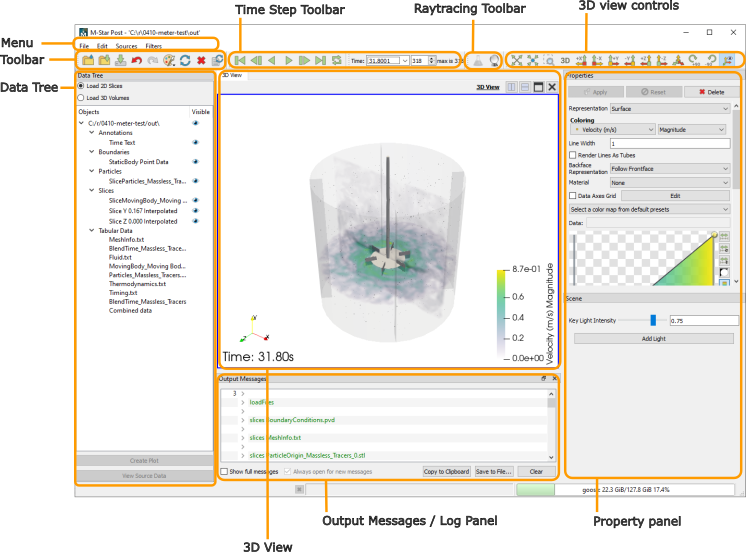
Menu: The menu is for general interaction with the program.
Toolbar: The toolbar is for general data loading and other common controls.
Time Step Toolbar: This toolbar contains controls to change the displayed time step.
Raytracing Toolbar: This toolbar enables raytraced rendering algorithms for photo-realistic rendering.
3D View Controls: This controls the camera position for the Viewing Panel.
Data Tree: This panel lists all the data loaded into the program.
Viewing Panel: This panel shows a 3D visual representation of data.
Output Messages: This panel contains messages and logged information.
Property Panel: This panel show parameters based on the current Data Tree selection.
Troubleshooting M-Star Post Startup: This reference page describes common causes of M-Star Post startup issues and provides troubleshooting guidance.