Loading Geometry from CAD Assemblies
Simple example that demonstrates how to use the Pre API to load geometry from CAD assemblies. Generates two msb case files, similar to Simple Case, using geometry from a single CAD assembly file with different impellers.
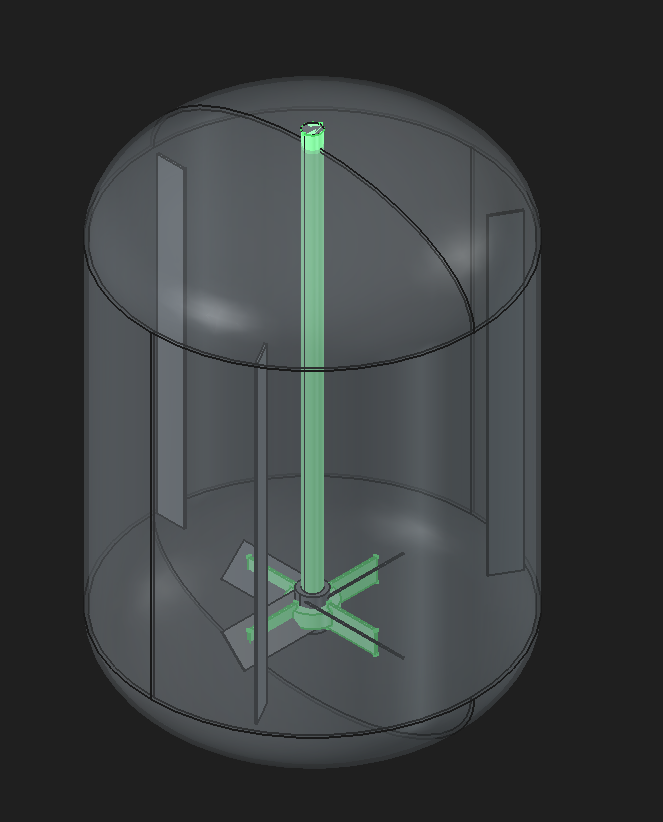
Fig. 61 CAD file with assemblies for a simple tank with baffles and two impeller types, FlatBlade and PitchBlade.
Download Sample File: Particle Buildup
import mstar

mstar.Initialize()

model = mstar.Load()

assemblies = mstar.TopoDS_Shape.LoadCadAssemblies("Assemblies.step")

staticBody = model.AddComponent("Static")

for name in ["TankOnly", "Baffle Only", "Baffle Only_0", "Baffle Only_1"]:
    geo = staticBody.AddComponent("ImportedGeometry")
    geo.SetName(name)
    geo.SetShape(next(obj for obj in assemblies if obj.Name == name).GetShape())

movingBody = model.AddComponent("Moving")
impellerGeo = movingBody.AddComponent("ImportedGeometry")

simParams = model.GetSimParams()
globalVar = model.AddComponent("GlobalVariable")
miscScalar = model.AddComponent("MiscibleScalar")
scalarInjection = miscScalar.AddComponent("ScalarInjection")

miscScalarGeo = scalarInjection.AddGeometry("Cylinder")

simParams.Get("Run Time").Value = 180.0

miscScalar.SetName("dye")
scalarInjection.Get("Injection Time Span").Value = "Impulse"
scalarInjection.Get("Injection Impulse Time").Value = 10.0
scalarInjection.Get("Child Geometry Value UDF").Value = "1.0"

miscScalarGeo.Get("Diameter").Value = 0.01
miscScalarGeo.Get("Length").Value = 0.01
miscScalarGeo.SetLocation(0.15, 0.45, 0.0)

movingBody.Get("Rotation Speed UDF").Value = "70.0"

globalVar.SetName("blendTime")
globalVar.Get("Data Source").Value = "Fluid"
globalVar.Get("Reduction").Value = "RelStdDev"
globalVar.Get("Code").Value = "value=dye;"

for impellerName in ["FlatBlade", "PitchBlade"]:
    impellerGeo.SetName(impellerName)
    impellerGeo.SetShape(next(obj for obj in assemblies if obj.Name == impellerName).GetShape())

    model.Save(f"Case_{impellerName}.msb")